
Maximizing your laser cutting machine lifespan begins with a fundamental shift in mindset: from reactive repair to proactive, preventative maintenance. For any operations manager or engineer, a laser cutter is a significant capital investment, and protecting its uptime and performance is critical to ROI. The most effective strategy is a disciplined daily routine.
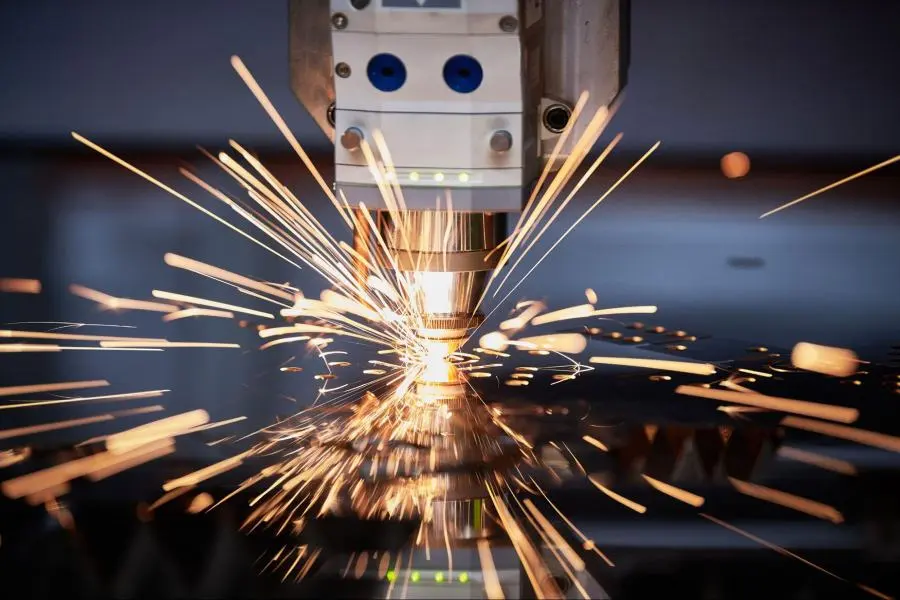
Neglecting simple tasks creates a cascade of expensive failures. For example, failing to clean a contaminated focus lens can turn an $80 replacement into a catastrophic $4,000 laser tube failure from overheating. This guide provides an actionable, data-driven framework to help you implement a maintenance culture that extends equipment life, ensures consistent quality, and prevents costly downtime.
The 3 Pillars of Laser Longevity: Your Most Critical Maintenance Tasks
To protect your asset, focus on the three systems where small, consistent efforts yield the largest returns on machine health and performance.
Pillar 1: Pristine Optics for Flawless Power Delivery
Your machine’s optical pathway—its mirrors and lenses—is the system most vulnerable to daily degradation. Dirty optics are the leading cause of sudden power loss, poor cut quality, and cascading component damage. Residue from materials like wood and acrylic absorbs laser energy, which can overheat and crack the optic while simultaneously forcing the laser source to work harder, shortening its life.
Actionable Steps: Cleaning Your Optics
- When: A daily visual inspection of the final lens is mandatory. As a general rule, clean optics every 10-40 hours of operation, but increase frequency when cutting materials that produce heavy residue.
- What to Use: Use only high-purity (>99%) isopropyl alcohol and single-use, lint-free optical tissues or swabs. Never use household cleaners like Windex, as ammonia and other additives will permanently damage the delicate anti-reflective coatings.
- How to Clean:
- Safety First: Power down the machine and wear powder-free gloves to prevent skin oils from contaminating the surfaces.
- Remove Debris: Use a rubber blower bulb to gently remove any loose dust. Wiping first can drag abrasive particles across the lens and cause scratches.
- Apply Solvent: Moisten the wipe with alcohol. Never apply liquid directly to the optic.
- Wipe Gently: Use a single-direction drag-wipe. This is safer than a circular motion, which can grind particles into the coating.
Actionable Steps: Mastering Beam Alignment (CO2 Lasers)
- Why it Matters: A misaligned beam is a hidden tax on your machine’s life. It causes a significant loss of power at the cutting point and directs stray energy into components like the nozzle or mirror mounts, causing them to overheat.
- Symptoms to Watch For: Tapered or angled cut edges, inconsistent power across different areas of the workbed, or the beam physically striking the inside of the nozzle.
Pillar 2: Protecting the Laser Source (The Heart of Your Machine)
The laser source—either a CO2 glass tube or a solid-state fiber module—is the most expensive and critical component. Its operational life is directly proportional to its operating conditions.
Actionable Steps: CO2 Laser Tube Preservation
- Power Management is Key: Never operate a CO2 tube at 100% of its rated power for extended periods. To dramatically extend laser tube life, set the maximum power in your control software to 70-90%. This provides a crucial buffer against accelerated degradation.
- Verify Amperage: The true stress on a tube is electrical current (milliamps), not the software’s power percentage. A poorly calibrated power supply can deliver excessive amperage, slowly “frying” the tube over months. Periodically connect an ammeter to verify the current does not exceed the manufacturer’s specification (e.g., 28-30 mA for a 150W tube).
Actionable Steps: Fiber Laser Source Longevity
- Maintain a Pure Environment: Fiber laser sources are extremely sensitive to their environment. A dust-free, climate-controlled room is essential for achieving their rated lifespan of up to 100,000 hours.
- Protect the Optical Path: The external protective lens on the cutting head shields expensive internal optics and must be kept immaculate. Furthermore, the armored fiber optic cable that delivers the beam must be protected from sharp bends or kinks, which can permanently damage it.
Pillar 3: Mastering Your Cooling System
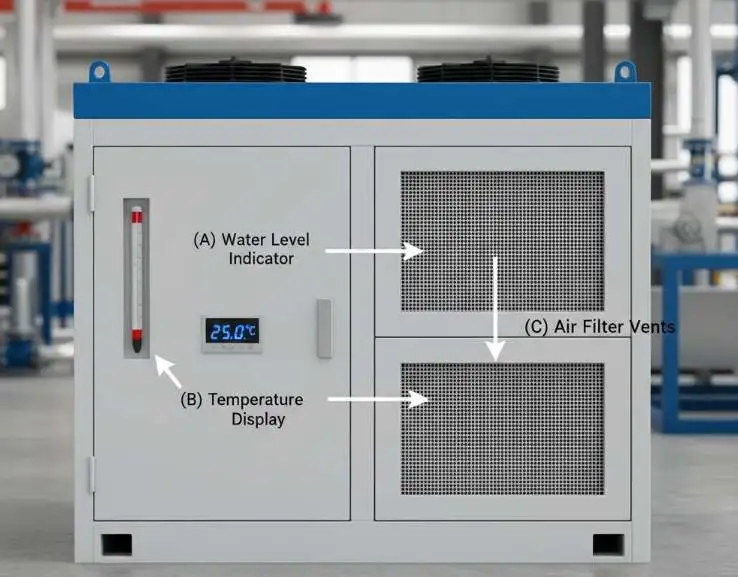
Overheating is the fastest way to destroy a laser source, making the chiller your machine’s most important life-support system. Its ability to dissipate heat is entirely dependent on proper maintenance and a controlled ambient environment.
Actionable Steps: Chiller Maintenance
- Coolant is Crucial: Use ONLY distilled or deionized water. Tap water contains minerals that will precipitate and form an insulating layer of scale inside the laser tube’s cooling jacket, leading to localized hot spots and catastrophic failure.
- Maintain Temperature Range: The optimal coolant temperature is between 18°C and 25°C (64°F – 77°F).
- Routine Checks: Check coolant levels daily. The entire system should be flushed and the coolant replaced every 3-6 months to prevent contamination.
Your Actionable Maintenance Checklist: Daily, Weekly, and Monthly
A systematic schedule is the key to turning maintenance from a chore into a habit. Use this checklist as a starting point and adapt it to your machine’s specific manual and usage intensity.
| Task | Daily | Weekly | Monthly |
| Optics | |||
| Clean Focus Lens / Protective Lens | ✔ | ||
| Clean Final Mirror (Mirror 3) | ✔ | ||
| Clean Mirrors 1 & 2 | ✔ | ||
| Perform Beam Alignment Check | ✔ | ||
| Cooling System | |||
| Check Coolant Level & Temperature | ✔ | ||
| Inspect Hoses for Leaks | ✔ | ||
| Clean Chiller Air Filters & Radiator | ✔ | ||
| Flush & Replace Coolant | (Every 3-6 Months) | ||
| Mechanical & Support Systems | |||
| Empty Debris/Crumb Tray | ✔ | ||
| Inspect Nozzle for Debris | ✔ | ||
| Inspect Drive Belts for Tension & Wear | ✔ | ||
| Clean & Lubricate Guide Rails | ✔ | ||
| Clean Exhaust Fan & Ducts | ✔ |
Troubleshooting Common Performance Issues
When laser cutter performance degrades, the cause is often a simple maintenance oversight. This table links common symptoms to their most likely causes.
| Symptom | Probable Cause(s) | Corrective Action |
| Sudden Loss of Cutting Power | 1. Dirty Optics 2. Beam Misalignment (CO2) 3. Cooling System Fault | 1. Perform a full optics cleaning. 2. Conduct a beam alignment check. 3. Check chiller for alarms, coolant level, and flow. |
| Inconsistent Cuts or Tapered Edges | 1. Incorrect Focus 2. Dirty/Damaged Nozzle 3. Vertical Beam Misalignment | 1. Re-focus the laser for the material. 2. Clean or replace the nozzle. 3. Perform a vertical alignment check (Mirror 3 to workpiece). |
| Machine Overheating Alarms | 1. High Ambient Room Temperature 2. Clogged Chiller Air Filters 3. Low Coolant Level | 1. Ensure room temperature is below 25°C (77°F). 2. Clean all air filters on the chiller and machine cabinets. 3. Top up coolant with distilled water; check for hose kinks. |
Hobby vs. Industrial Lasers: A Quick Maintenance Comparison
While both machine classes cut with lasers, their design philosophies dictate different maintenance needs.
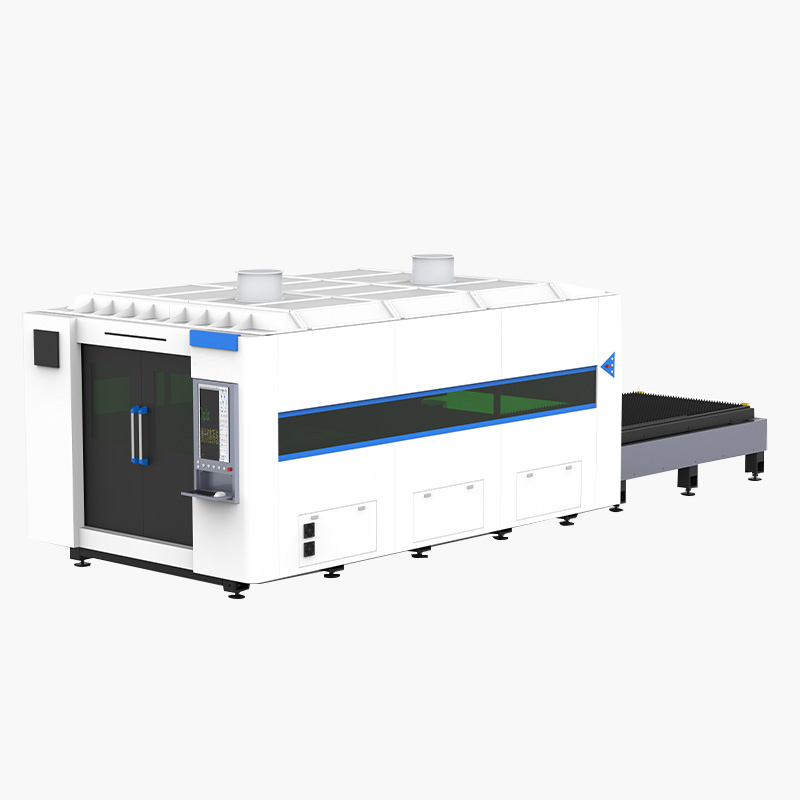
- Key Differences: Industrial machines are built for endurance using high-precision components like servo motors and sealed internal systems to protect them from debris. Hobby-grade machines often use less precise stepper motors and have an open-gantry design where rails and belts are exposed to contamination.
- The Maintenance Paradox: One might assume the simpler hobby machine requires less maintenance. In reality, the opposite is often true for the operator. The exposed, less-robust components of a hobby machine require more frequent, hands-on cleaning and adjustment from the user to maintain a basic level of accuracy. The industrial machine, while requiring more specialized scheduled service, is engineered for reliability and demands less daily tinkering from the operator.
Frequently Asked Questions (FAQ)
A: A quality CO2 tube is typically rated for 3,000 to 10,000 operating hours. However, this lifespan can easily be cut in half by consistently running at maximum power or operating with an inadequate or poorly maintained cooling system.
A: No. You must use only distilled or deionized water. Tap water contains minerals that will form scale inside the laser tube, acting as an insulator and causing the tube to overheat and fail prematurely.
A: A full alignment check should be performed monthly or any time you notice a drop in cutting quality, inconsistency across the workbed, or after moving the machine.
Conclusion
Maximizing your laser cutting machine lifespan is not about complex, time-consuming repairs; it is the direct result of a consistent and disciplined routine of simple, proactive tasks. By focusing on the core principles of clean optics, stable cooling, and smart operation, you can significantly extend the life of your investment.
Key Takeaways:
- Keep Optics Clean: This is the most important daily task for maintaining power and preventing damage.
- Keep the Laser Cool: A healthy chiller is the number one factor in a long laser source life.
- Operate Smart: Avoid running your machine at 100% power to reduce unnecessary wear.
Ready to improve your machine’s uptime and performance? Download our detailed maintenance log template to start tracking your tasks, or schedule a complimentary application audit with one of our specialists to optimize your cutting parameters and maintenance schedule.