
A laser marking machine uses a laser beam to make permanent marks on a material. It can mark text, numbers, barcodes, QR codes, logos, and serial numbers on metal, plastic, glass, and other surfaces.
Many manufacturers use laser marking because it is fast, accurate, and clean. It does not need ink, labels, or direct contact with the part. The marks are clear, long-lasting, and hard to wear off.
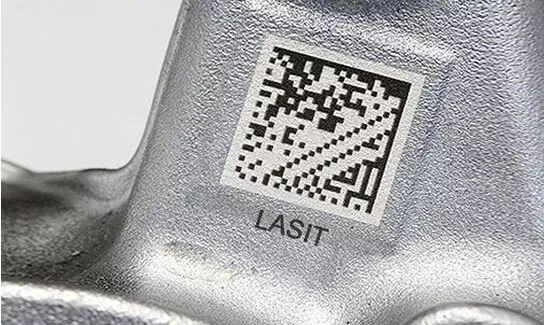
Different laser marking machines are made for different jobs. Some are better for metal. Others work better on plastic, glass, or heat-sensitive materials. In this guide, you will learn what a laser marking machine is, how it works, the main types, common uses, and what affects the cost.
How Does a Laser Marking Machine Work?
A laser marking machine works by focusing a laser beam on the surface of a material. The laser changes the surface and creates a visible mark. This mark can be text, numbers, logos, serial numbers, barcodes, QR codes, or other product information.
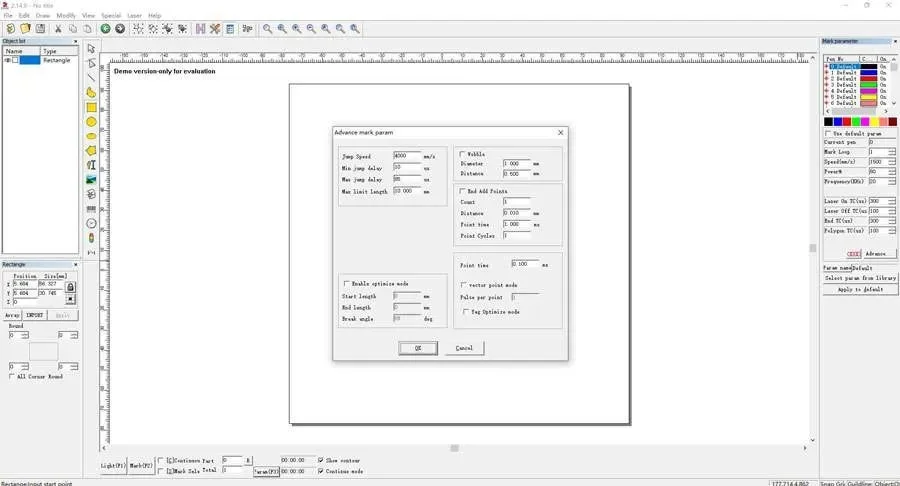
The machine uses software to control the marking design and position. It follows a digital file and guides the laser beam across the surface with high accuracy. This allows the machine to create clear and repeatable marks, even on small parts or detailed designs.
Different materials react to the laser in different ways. In some cases, the laser creates a color change, as seen in stainless steel color marking with a MOPA laser. In others, it produces contrast by heating, foaming, or lightly removing part of the surface. The result depends on the laser source, power settings, speed, frequency, lens setup, and the material itself.
Because of this, different laser marking machines are used for different jobs. Some are better for metal marking, while others are better for plastics, glass, wood, or heat-sensitive materials. Choosing the right machine helps improve mark quality, speed, and consistency.
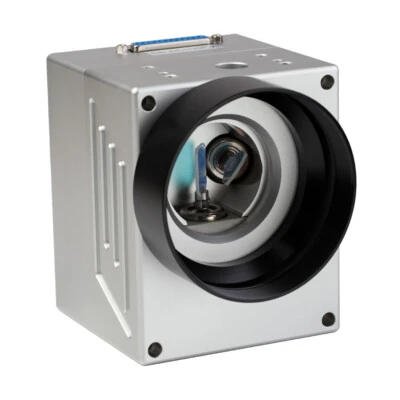
The Main Types of Laser Marking Machines
Laser marking machines are available in several types, and each type is designed for different materials and marking needs. Among these options, fiber, CO2, and UV laser marking machines are the most commonly compared. In general, fiber lasers are best for metals, CO2 lasers are better for many non-metal materials, and UV lasers are ideal for delicate or heat-sensitive surfaces. Green laser marking machines are less common, but they can be useful for some specialized precision applications.
Fiber Laser Marking Machines
Fiber laser marking machines are the most common choice for marking metal parts. They are widely used for stainless steel, aluminum, brass, copper, titanium, and many engineering plastics. Fiber lasers are known for high speed, strong beam quality, low maintenance, and long service life. They are often used for serial numbers, logos, barcodes, QR codes, and permanent part identification in industrial production.
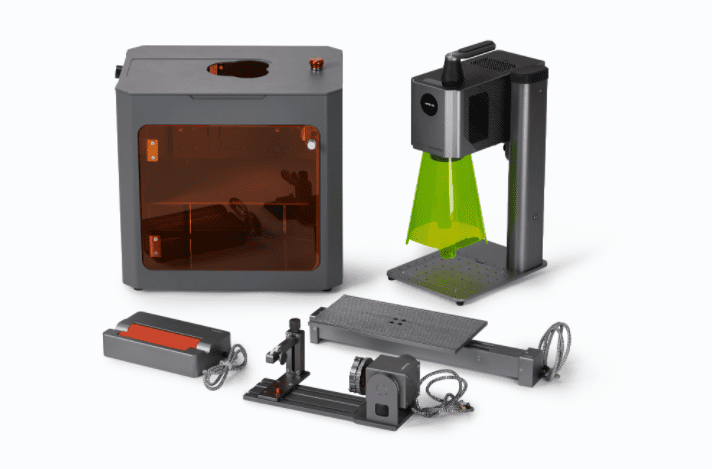
CO2 Laser Marking Machines
CO2 laser marking machines are better suited to many non-metal materials. They are commonly used on wood, paper, leather, rubber, glass, acrylic, and some plastics. In many cases, a CO2 laser is a practical choice when the goal is to mark or engrave organic materials and packaging-related products. However, it is generally not the first choice for direct metal marking.
UV Laser Marking Machines
UV laser marking machines are often used for delicate or heat-sensitive materials. Because the UV wavelength creates less thermal impact, these machines are a good option for marking plastics, glass, medical packaging, electronic components, and other parts that need very fine detail with limited heat damage. UV laser marking is often chosen when mark quality matters more than speed alone.
Green Laser Marking Machines
Green laser marking machines are used for specialized applications that need fine marking on sensitive or reflective materials. They can be a good choice for some plastics, electronic materials, and highly reflective metals where standard laser sources may not give the best result. Green lasers are less common than fiber, CO2, or UV systems, but they can be useful in specific precision applications.
Each laser marking machine type has its own strengths. Fiber lasers are widely used for metals, CO2 lasers are better for many non-metal materials, UV lasers work well for delicate surfaces, and green lasers are used in more specialized cases. The best choice depends on the material, the marking quality required, and the application itself.
Quick Guide: Laser Source vs. Material
| Material | Fiber (1064 nm) | CO2 (10.6 µm) | UV (355 nm) |
| Stainless Steel | ✅ Excellent (Annealing/Engraving) | ❌ (Requires Spray) | ✅ Good |
| Aluminum | ✅ Excellent | ❌ (Requires Spray) | ✅ Good |
| Wood / Paper | ❌ (Fire Risk) | ✅ Excellent | ✅ Good |
| Clear Acrylic | ❌ (Passes Through) | ✅ Excellent | ⚠️ Depends on Type |
| Glass | ❌ (Shatters/Passes) | ✅ Excellent | ✅ Excellent (Micro) |
| Silicone | ⚠️ Poor Contrast | ✅ Good | ✅ Excellent |
What Materials Can Be Marked?
Laser marking machines can mark many different materials, but not every laser works well on every surface. The right result depends on the laser source, the material, and the type of mark you need. Common materials include metals, plastics, glass, ceramics, wood, leather, rubber, paper, and coated surfaces.
Fiber laser marking machines are widely used for metals such as stainless steel, aluminum, brass, copper, and titanium. They are also used for some engineering plastics. These machines are often chosen for permanent marks such as serial numbers, barcodes, QR codes, logos, and traceability codes.
CO2 laser marking machines are better for many non-metal materials. They are commonly used on wood, paper, leather, rubber, acrylic, and some packaging materials. UV laser marking machines are often used for delicate plastics, glass, medical packaging, and electronic parts that need fine detail and lower heat impact.
Because materials react differently to laser energy, testing is often needed before full production. A machine that works well for one material may not be the best choice for another. Understanding material compatibility is an important step when choosing a laser marking machine.
Laser Marking vs Engraving vs Etching
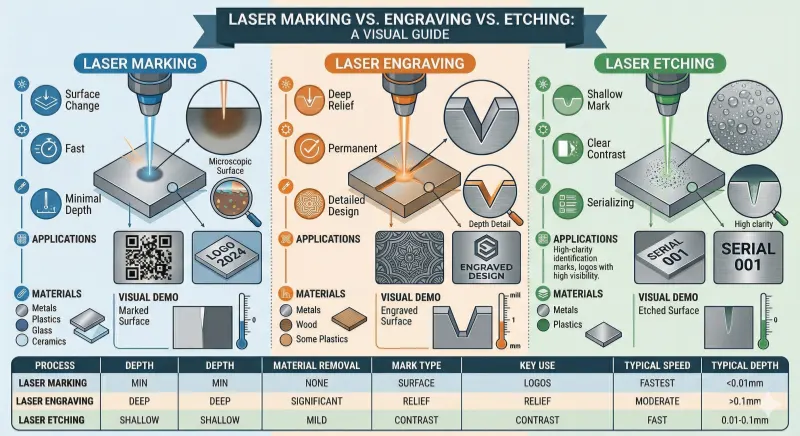
Laser marking, engraving, and etching are related processes, but they produce different results. Understanding the differences can help you choose the right method for your material and application.
Laser Marking
Laser marking changes the surface of a material without removing much of it. It creates permanent marks such as logos, text, serial numbers, barcodes, or QR codes. Marking is usually fast and clean, with minimal heat impact, and is often used on metals, plastics, glass, and ceramics.
Laser Engraving
Laser engraving removes a thin layer of the material to create a deeper mark. Engraving produces more tactile or visible relief, making it ideal for decorative designs, detailed logos, and patterns. It is commonly used on metals, wood, and some plastics.
Laser Etching
Laser etching is similar to engraving but usually creates shallower marks. It often relies on surface foaming or chemical reactions to produce contrast, especially on metals and plastics. Etching is good for producing clear identification marks with moderate depth.
In summary, marking is typically shallow and fast, engraving removes material for deeper designs, and etching produces shallow but high-contrast marks. The choice depends on the material, the desired appearance, and the level of detail required.
Common Applications of Laser Marking Machines
Laser marking machines are used in many industries to create permanent, high-precision marks on a variety of materials. They are valued for speed, accuracy, and the ability to produce durable results without physical contact.
Product Identification and Traceability
One of the most common applications is marking serial numbers, barcodes, and QR codes on products. This allows manufacturers to track items through production, shipping, and sales, and ensures traceability for quality control or regulatory compliance.
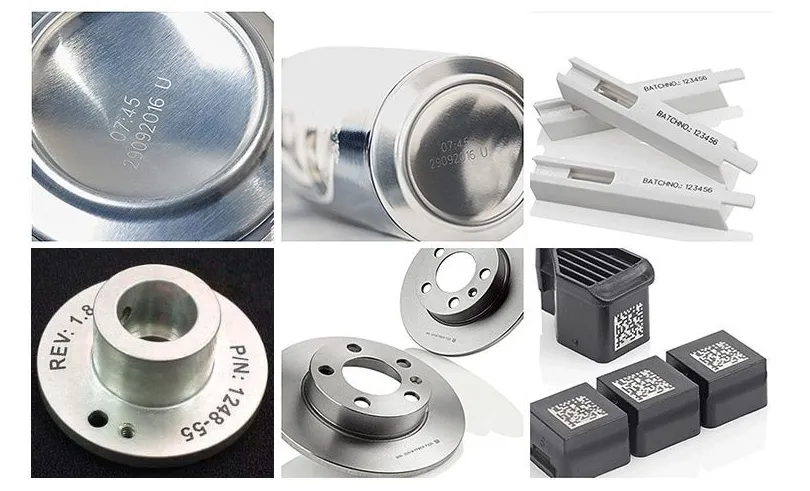
Branding and Logos
Laser marking is widely used for branding purposes. Logos, company names, or custom designs can be marked on metal, plastic, glass, or other materials, creating a professional, durable appearance.
Medical Devices and Equipment
In the medical industry, laser marking is used to label surgical instruments, implants, and medical devices. Marks must be permanent, precise, and biocompatible, making laser marking an ideal choice for compliance with strict standards.
Electronics and Components
Electronics manufacturers use laser marking to label circuit boards, connectors, and components. Marks must be small, accurate, and resistant to heat or wear, which makes lasers more suitable than printing or stickers.
Jewelry and Luxury Goods
Laser marking is also applied in jewelry, watches, and luxury items to engrave serial numbers, logos, or decorative patterns. The process allows for very fine detail without damaging delicate materials.
These applications show the versatility of laser marking machines across industries. Understanding typical uses can help you decide which type of machine, laser source, and settings are best for your materials and production needs. In the next section, we will cover factors to consider when choosing a laser marking machine.
How to Choose a Laser Marking Machine
Choosing the right laser marking machine depends on several factors, including the material you want to mark, the type of mark you need, production speed, and your budget. Understanding these factors can help you select a machine that delivers the best results.
1. Consider the Material
Different lasers work better on different materials. Fiber lasers are ideal for metals and some engineering plastics. CO2 lasers are better for wood, paper, leather, acrylic, and other non-metal surfaces. UV lasers are suited for delicate or heat-sensitive materials. Always check material compatibility before choosing a machine.
2. Determine the Marking Type and Depth
Decide whether you need shallow marks, deep engraving, or surface etching. Shallow marking is faster and good for logos or barcodes. Engraving removes some material for deeper designs, while etching produces high-contrast but shallow marks. The required depth and detail will influence your laser choice and settings.
3. Production Speed and Precision
Consider how fast the machine needs to mark and how precise the marks must be. High-speed production may require a more powerful laser or a machine with a fast scanning system. Precision is important for small or detailed marks, especially on electronics, medical devices, or jewelry.
4. Machine Size and Work Area
Make sure the machine’s work area fits your parts. Some machines are compact for small components, while others have a larger field for bigger products. The machine size also affects installation space and workflow in your facility.
5. Budget and Maintenance
Laser marking machines vary in price depending on laser type, power, and features. Fiber lasers are generally more expensive but have low maintenance and long lifespan. CO2 and UV machines may cost less but require more care. Factor in both initial cost and operating costs when making your decision.
By considering material compatibility, marking type, speed, work area, and budget, you can choose the right laser marking machine for your needs. In the next section, we will discuss the cost range and factors that influence the price of laser marking machines.
How Much Does a Laser Marking Machine Cost?
For an in-depth breakdown of 2026 pricing, ROI calculations, and hidden fees, read our complete guide on how much a laser marking machine costs.
1. Direct Import / Entry-Level ($799 – $3,000)
The barrier to entry has shattered. You can now find functional 20W Fiber Lasers on platforms like Alibaba starting around $799.
- The Reality: These are not “toys.” Many use genuine Raycus sources and standard Galvo heads capable of professional work.
- The Trade-off: You are paying for the hardware, not the hand-holding. Support is typically remote (email/chat) rather than an on-site technician. You will likely need to configure software drivers and perform focal distance calibration yourself.
- Best For: Small job shops, hobbyists, and businesses with in-house technical capability.
2. Mid-Range / Light Industrial ($3,500 – $8,000)
- The Upgrade: Machines in this tier often feature JPT MOPA sources, motorized Z-axis towers for easy focusing, and rotary attachments included.
- Support: typically includes US/EU-based warehousing and faster warranty parts replacement.
3. Industrial Production ($20,000+)
- The Premium: Companies like Keyence, Trumpf, or Telesis.
- The Value: Class 1 safety certification, validated IPG Photonics sources, 24/7 duty cycle ratings, and integration with factory PLCs/EthernetIP.
- Best For: Automotive/Aerospace production lines where downtime costs $10,000/hour.
Maintenance Checklist
Fiber lasers are marketed as “maintenance-free,” but “low maintenance” is more accurate.
- Daily: Clean the F-Theta Lens. Dust from engraving can settle on the glass; if the laser fires through it, the heat will bake the dust into the coating, ruining the optic.
- Weekly: Check cooling fans. A blocked intake can cause the source to thermally trip.
- Monthly: Backup your software parameters. If a controller board fails, having your calibration files saved externally prevents hours of downtime.
FAQ
A: Laser marking machines can mark metals, plastics, glass, ceramics, wood, leather, rubber, paper, and coated surfaces. The best results depend on the type of laser and material. Fiber lasers are best for metals, CO2 lasers for many non-metal materials, and UV lasers for delicate or heat-sensitive surfaces.
A: Fiber lasers are ideal for metals and some plastics. CO2 lasers work better on wood, paper, leather, and acrylic. UV lasers are used for delicate or heat-sensitive materials and can produce fine, detailed marks. Each type has its own strengths depending on material and application.
A: Speed depends on the laser type, power, scanning system, and complexity of the mark. Fiber lasers are generally fast and suitable for high-volume production, while CO2 and UV lasers may be slower depending on the material and detail required.
A: They are widely used for serial numbers, barcodes, QR codes, logos, branding, product traceability, medical devices, electronics, tools, and jewelry.
A: Consider the material, mark type and depth, production speed, and work area. Match the laser type (fiber, CO2, UV) to your materials and application for the best results.